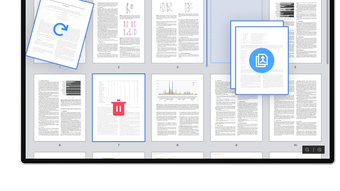


Download PDF Reader Pro Windows – Free, Secure PDF Viewer & Editor
Overview
PDF Reader Pro Windows is a free, lightweight document‑management tool created by PDF Technologies Inc. Tailored specifically for Windows desktops, the application blends a clean, modern interface with a robust set of utilities that let you view, annotate, fill, and even convert PDF files without the need for an expensive subscription. Whether you’re a student juggling research papers, a professional handling contracts, or a small business looking for an efficient way to manage invoices, PDF Reader Pro Windows offers a seamless experience that reduces the learning curve typically associated with PDF software.
The program supports basic editing actions—such as adding text, highlighting, drawing shapes, and inserting comments—while also providing more advanced capabilities like form field recognition, document merging, and batch conversion to popular formats like Word, Excel, and JPG. Security is a central focus; the app runs in a sandboxed environment, ensuring that your files stay local and are never uploaded to third‑party servers unless you explicitly choose to share them. Regular updates, delivered through an automatic updater, keep the software compatible with the latest Windows releases and add incremental improvements based on user feedback.
In short, PDF Reader Pro Windows aims to be the go‑to free solution for anyone who needs a reliable, feature‑rich PDF viewer and editor on a Windows PC.
Key Features & Capabilities
- High‑Performance Viewer – Render large PDFs instantly with smooth scrolling and zoom options up to 400%.
- Annotation Toolbox – Highlight text, underline, strike‑through, add sticky notes, and draw freehand shapes.
- Form Filling & Creation – Detect interactive form fields, let users type directly, and save completed forms for later use.
- Document Conversion – Export PDFs to Microsoft Word, Excel, PowerPoint, or image formats (JPG, PNG) without losing layout fidelity.
- Merge & Split – Combine multiple PDFs into a single file or extract selected pages into a new document.
- Password Protection – Add or remove encryption, set permissions for printing and editing, and verify existing passwords.
- Search & Bookmark – Full‑text search across the entire document and the ability to bookmark pages for quick navigation.
- Night Mode & Themes – Reduce eye strain with dark mode and customizable color themes that sync with Windows settings.
- Automatic Updates – Stay current with a built‑in updater that downloads and installs patches securely.
- Multi‑Language Support – Interface available in English, Spanish, French, German, and Chinese.
Installation, Usage & Compatibility
Getting started with PDF Reader Pro Windows is intentionally straightforward. First, visit the official PDF Technologies Inc. website and click the “Download for Windows” button. The installer is a lightweight .exe file (approximately 45 MB) that uses a standard Windows Installer package. After downloading, run the file and follow the on‑screen prompts: accept the license agreement, choose an installation folder (the default location works for most users), and decide whether to create a desktop shortcut. The process typically completes within two minutes on a modern PC.
Once installed, launch the application from the Start menu or the desktop icon. The home screen presents a clean dashboard where you can open recent files, drag‑and‑drop PDFs directly onto the window, or click “Open File” to browse your folders. Navigation is intuitive—use the left‑hand thumbnail pane to jump between pages, and the top toolbar to access the annotation suite, conversion tools, or document settings.
PDF Reader Pro Windows is built on the .NET framework and fully supports Windows 10 and Windows 11 (both 64‑bit and 32‑bit). It also runs on Windows 8.1 with minor performance variations. The Windows compatibility is verified through regular beta testing, ensuring that the software respects system security policies and integrates smoothly with Windows Explorer’s right‑click context menu for quick PDF opening. For users on older hardware, the application offers a “Low‑Resource Mode” that disables high‑resolution rendering and some visual effects, preserving speed without sacrificing core functionality.
Daily usage tips include: enable “Auto‑Save” under Settings → General to avoid losing annotations; use the “Batch Convert” feature from the Tools menu to transform multiple PDFs at once; and set a custom shortcut (Ctrl + Shift + P) for the “Print to PDF” function. The program also remembers your most frequently used annotation colors, making repetitive tasks faster. Overall, the installation experience is quick, the interface is user‑friendly, and the compatibility with modern Windows versions makes PDF Reader Pro Windows a reliable addition to any workflow.
Pros, Cons & Frequently Asked Questions
Pros
- Completely free with no hidden subscription fees.
- Rich annotation tools rival many paid PDF editors.
- Fast rendering of large documents and smooth zooming.
- Secure, local‑only processing—no cloud uploads unless you choose.
- Regular automatic updates keep the software current.
- Supports both legacy (Windows 8.1) and latest (Windows 11) operating systems.
Cons
- Lacks advanced OCR (optical character recognition) for scanned documents.
- No built‑in PDF signing with digital certificates.
- Batch conversion limited to 10 files per session in the free version.
- Interface, while clean, may feel simplistic for power users accustomed to Adobe Acrobat’s extensive toolset.
FAQ
Is PDF Reader Pro Windows truly free, or are there hidden costs?
The application is 100 % free for personal and commercial use. All core features—including viewing, annotating, filling forms, and basic conversion—are available without any subscription or in‑app purchases. Optional premium plugins (e.g., OCR) can be bought separately, but they are not required for the primary functionality.
Can I open password‑protected PDFs?
Yes. PDF Reader Pro Windows can open PDFs that are secured with a password. When you try to open such a file, the software prompts you to enter the password before rendering the document. You can also remove the password if you have the correct credentials, using the “Security” tab in the document properties.
Does the software support form creation, not just filling?
Form creation is limited in the free version. You can add basic text fields, checkboxes, and radio buttons, but advanced form scripting and validation are reserved for the paid add‑on. For most users who need to fill out existing forms, the built‑in detection works flawlessly.
How secure is my data when I use PDF Reader Pro Windows?
The application processes all files locally on your machine. No data is uploaded to external servers unless you explicitly use the “Share” feature. Additionally, the software runs in a sandboxed environment, limiting its access to other system resources and protecting against malicious PDF exploits.
Can I convert PDFs to editable Word documents?
Yes. The “Export to Word” function preserves most of the original layout, fonts, and images. While complex formatting (e.g., multi‑column layouts) may need minor adjustments after conversion, the feature works well for standard reports, contracts, and academic papers.
Conclusion & Call to Action
PDF Reader Pro Windows delivers a surprisingly powerful set of PDF tools without demanding a subscription fee. Its clean UI, fast performance, and secure local processing make it an excellent choice for Windows users who need more than a basic viewer but don’t want to invest in heavyweight alternatives. While the lack of OCR and digital signing might steer power users toward premium solutions, the free feature set covers the majority of day‑to‑day PDF tasks—from annotation and form filling to conversion and document merging.
If you’re ready to upgrade your PDF workflow, simply click the download button below, install the application, and start managing your documents with confidence. Remember to enable automatic updates so you always have the latest security patches and feature enhancements.
Download PDF Reader Pro Windows – Free & Secure
PDF Reader Pro Windows strikes a balance between functionality and simplicity. The free price tag, combined with robust annotation tools and reliable conversion, makes it a standout option for both personal and professional environments. Minor limitations like the absence of OCR are outweighed by its speed, security, and frequent updates. Overall, it earns a solid 4.4 out of 5.
Pros
- Free for unlimited use.
- Fast and lightweight.
- Secure local processing.
- Regular automatic updates.
Cons
- No built‑in OCR.
- Limited batch conversion in free version.
- Advanced form creation requires add‑on.







